
How to Track a Credit-Card Purchase and Reconcile the Card Bill
Company credit-card spending is tracked in two layers. Each individual charge is recorded as a credit-card purchase: what was bought, from whom, by whom, and for how much. When the card statement arrives, the purchases marked as belonging to it are rolled onto an accounts-payable bill for the card, which is then paid like any other vendor bill. The Accounts Payable Reconciliation report is the month-end check that the payables you recorded match the general-ledger AP balance, so card charges and their bill are accounted for correctly.
Step 1: Record and Review Credit-Card Purchases
Where: Expenses -> Credit Card Purchases
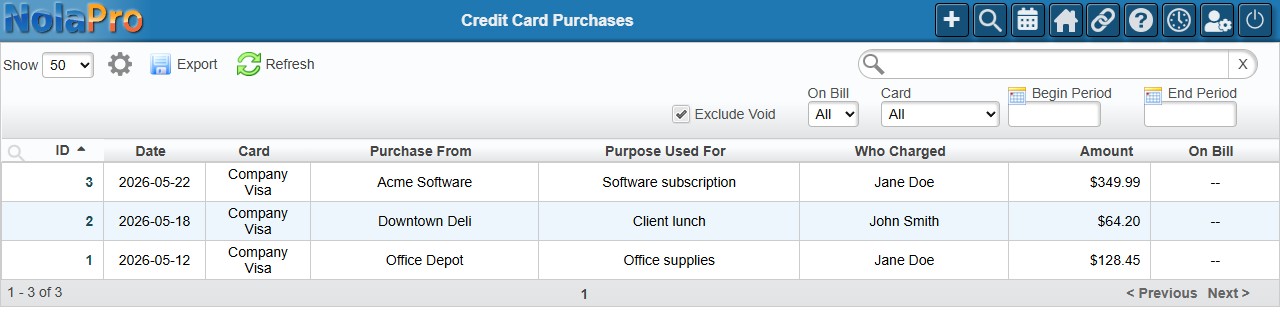
1) The table lists every credit-card purchase with its date, Card, Purchase From, Purpose Used For, Who Charged, Amount, and On Bill status.
2) Add a new charge by opening the purchase detail page (the ID link opens an existing one for editing).
3) Filter by Begin/End Period, a specific Card, or On Bill status to find charges that still need to be billed.
Step 2: Put the Purchases on the Card's AP Bill
Where: Expenses -> Credit Card Bills
1) When the statement arrives, add the period's purchases to the credit card's accounts-payable bill. Once a purchase is on a bill, its On Bill column links to that bill.
2) Pay the card's AP bill through the normal check run when it is due.
Step 3: Reconcile Payables to the Ledger
Where: Ledger -> Reports -> Accounts Payable Reconciliation
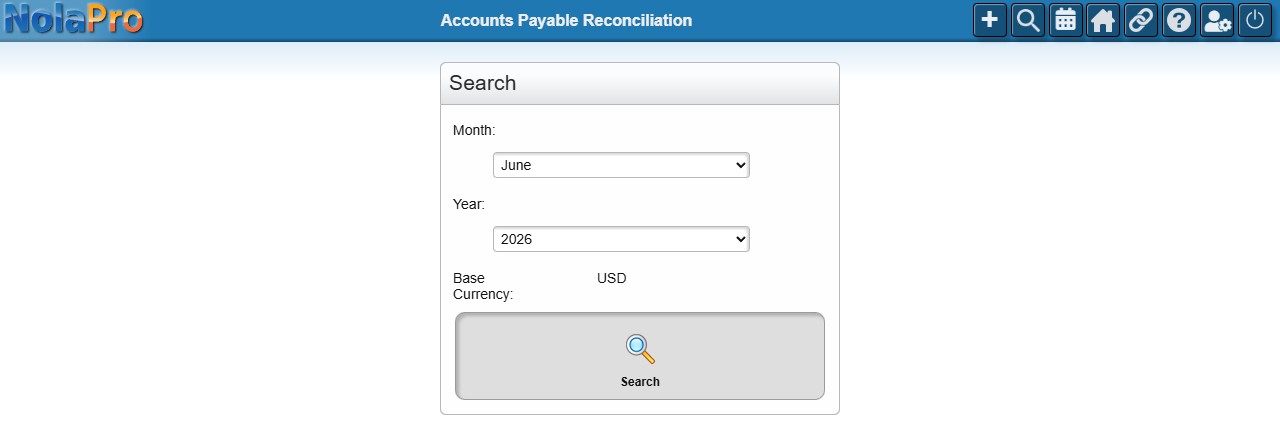
1) Choose the Month and Year and run the report.
2) Review the sections that compare vendor bills and payments posted in the month against the AP general-ledger account, and the per-vendor Differences By Vendor in Aging vs Accounts Payable Activity section.
3) Investigate any flagged variances so the card bill and all other payables tie out to the ledger.
Notes
- A purchase's On Bill value stays "No" until it is added to an AP bill; filtering On Bill = No is the quickest way to find charges still to be billed.
- If the Begin Period is later than the End Period on the purchases table, the dates are swapped automatically.
- The reconciliation report's beginning and ending balances are taken as of the last day of the prior month and the last day of the selected month; a 4-4-5 fiscal calendar shifts those period boundaries.
- The reconciliation report is read-only; it surfaces differences to investigate but does not change anything.