
How to Record a Vendor Advance or PO Prepayment
A PO deposit (vendor advance) is money paid to a supplier up front, before the order is received. NolaPro records the deposit from the purchase order's own edit screen: it creates a small vendor bill for the deposit, issues a check from the bank account you choose, and posts the deposit to your prepaid-expense account (falling back to the standard payables account if no prepaid account is configured). When the goods arrive and the real vendor bill is entered, the prepayment offsets what you still owe.
Step 1: Record the Deposit on the Purchase Order
Where: Purchase Order edit page → Add Deposit
1) Open the purchase order and launch its Add Deposit action (the cash icon in the PO's action buttons). The Add Deposit window opens.
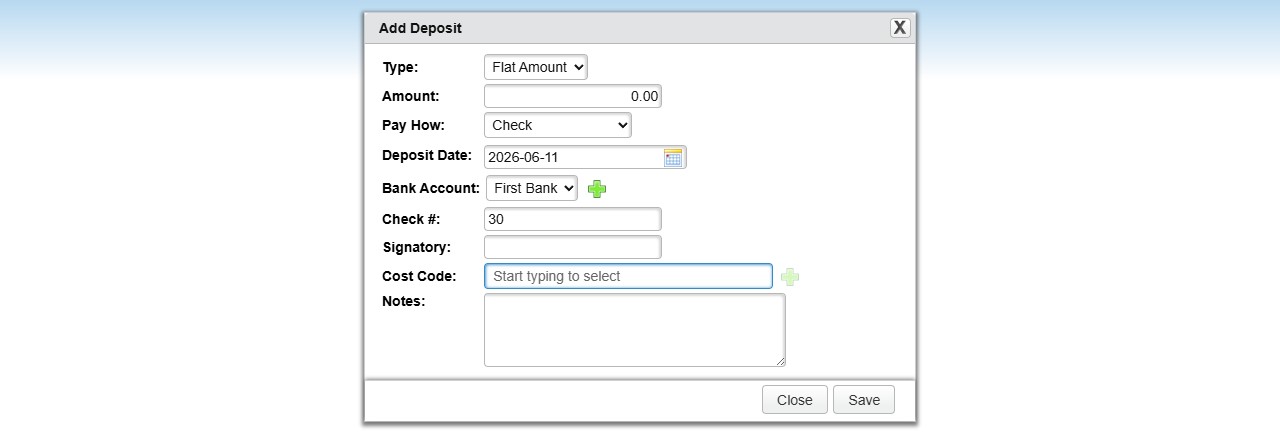
2) Enter the deposit as a fixed amount or a percentage of the PO total.
3) Choose the checking account, the deposit date, and optionally a GL category and cost code, plus any notes.
4) Save. NolaPro creates a deposit bill (numbered {PO number}-Deposit), issues the check, posts the GL entries, and returns a link to print the check.
Step 2: Enter the Final Vendor Bill
Where: Expenses -> Vendor Bills -> New Vendor Bill
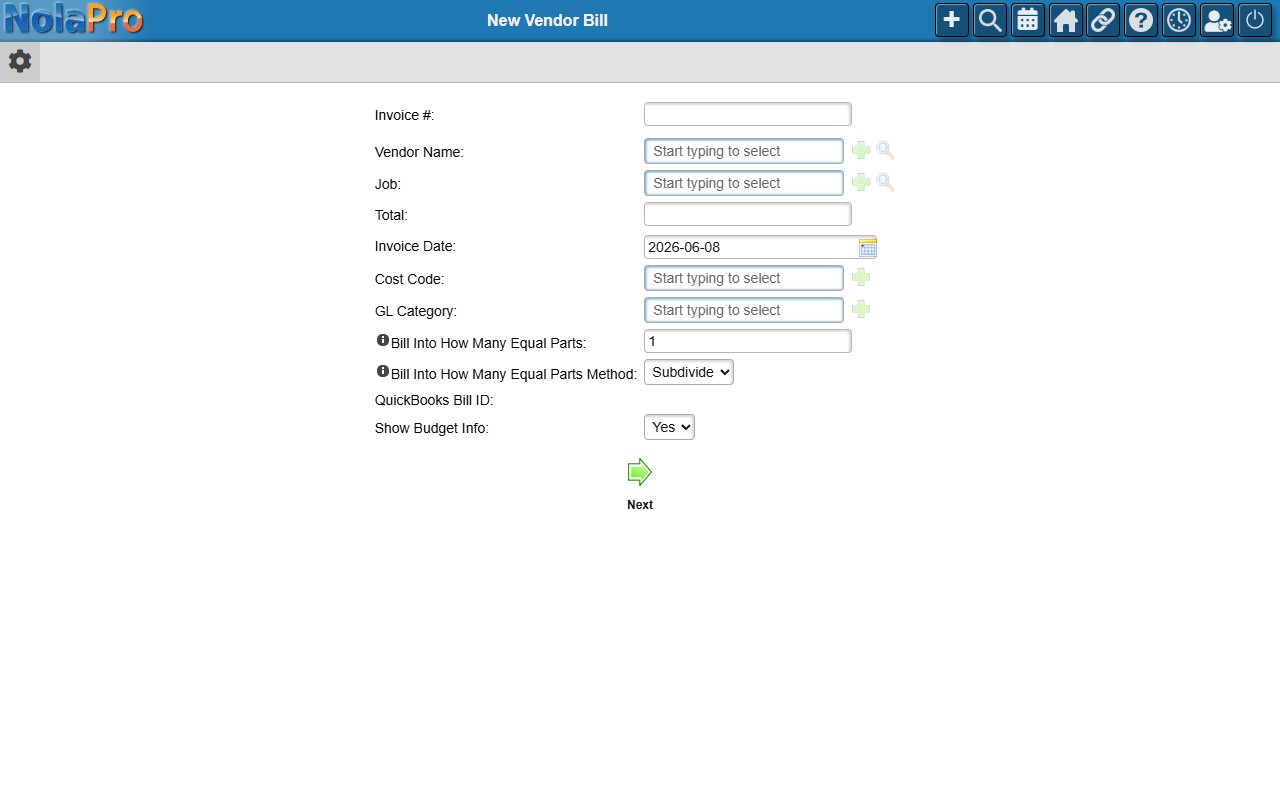
1) When the goods and the supplier's invoice arrive, enter the vendor bill for the full amount as usual (vendor, invoice number, total, line distribution).
2) The prepaid deposit already sits in the prepaid-expense (or payables) account, so the net still owed to the vendor reflects the advance already paid.
Notes
- The deposit invoice number is generated automatically as {PO number}-Deposit and incremented if that number already exists.
- Removing a deposit voids the deposit check, deletes its vendor bill, and removes the deposit record, but deletion is blocked once the deposit has been applied to an AP bill payment.
- The prepaid-expense GL account comes from company settings; if none is configured, the standard accounts-payable account is used instead.
- Use this when a supplier requires money up front; for a customer paying you up front on a sales order, see the "Recording a Customer Deposit and Applying It to an Order" article instead.