
How to Set Up Opening Balances Across AR, AP, and the General Ledger
When you start using NolaPro mid-stream, you need to bring in the balances that already exist in your old system. This is done in three parts: open customer balances are entered as beginning balance invoices, open vendor balances as beginning balance bills, and the opening balances of all remaining accounts (cash, fixed assets, equity, and so on) are entered as a single manual journal entry.
The key concept is that beginning balance invoices and beginning balance bills are deliberately kept out of the General Ledger. They record the open receivable or payable so the customer and vendor sub-ledgers are correct, but they post no GL entries. That avoids double-counting, because the GL side of those balances is captured once, in totals, by the opening journal entry. Enter the sub-ledger detail first, then the journal entry, and your opening trial balance will tie out.
Step 1: Enter Open Customer Balances
Where: Admin -> Billing -> Beginning Balances
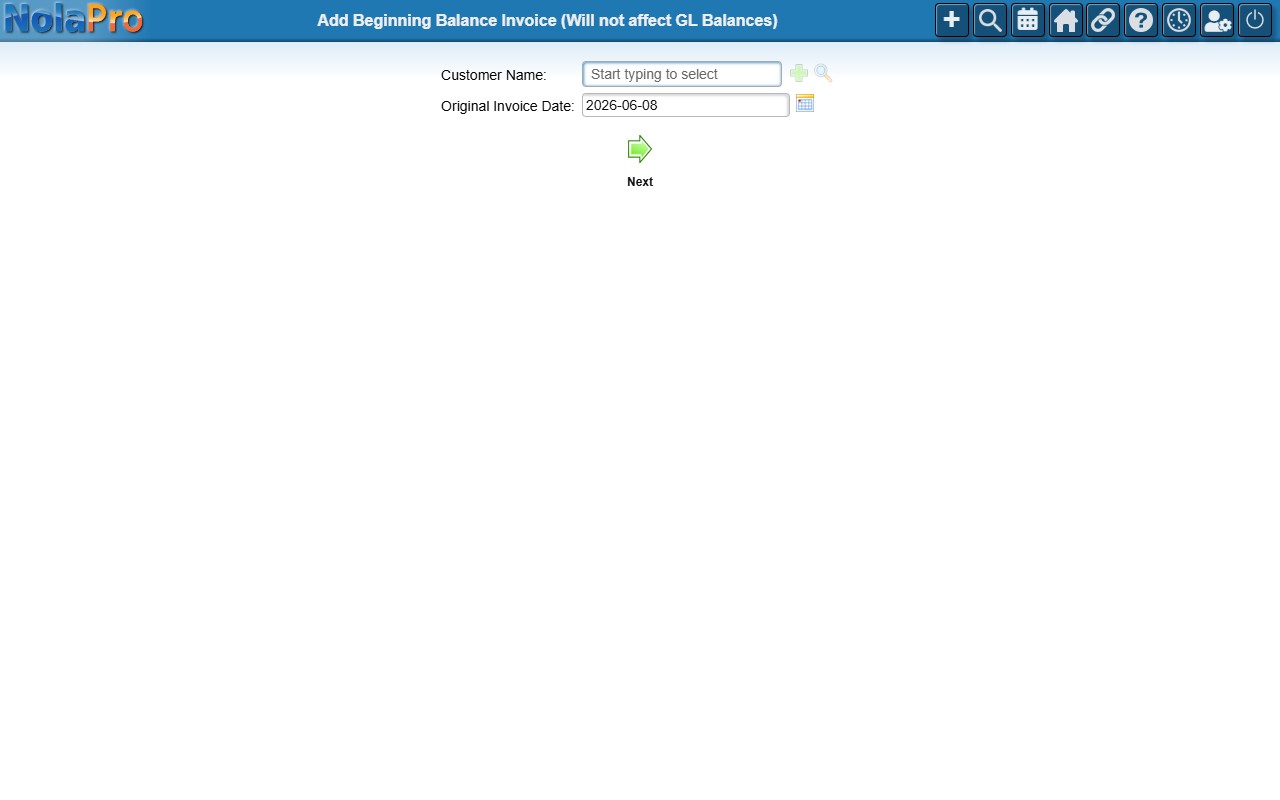
1) Create one beginning balance invoice per open customer balance. Select the Customer Name and enter the Original Invoice Date (the date of the original document).
2) On the header step, confirm the Invoice #, Invoice Terms, and other details. The invoice number is auto-suggested and the terms default from the customer record.
3) On the line items step, enter a Description, Quantity, and Price for each line that makes up the balance. A running total updates as you type.
4) On the final step, confirm the auto-calculated Due Date and Discount Date, adjust any tax amounts, then complete the invoice.
5) Repeat for every customer who has an outstanding balance.
Step 2: Enter Open Vendor Balances
Where: Admin -> Payables -> Beginning Balance Bills
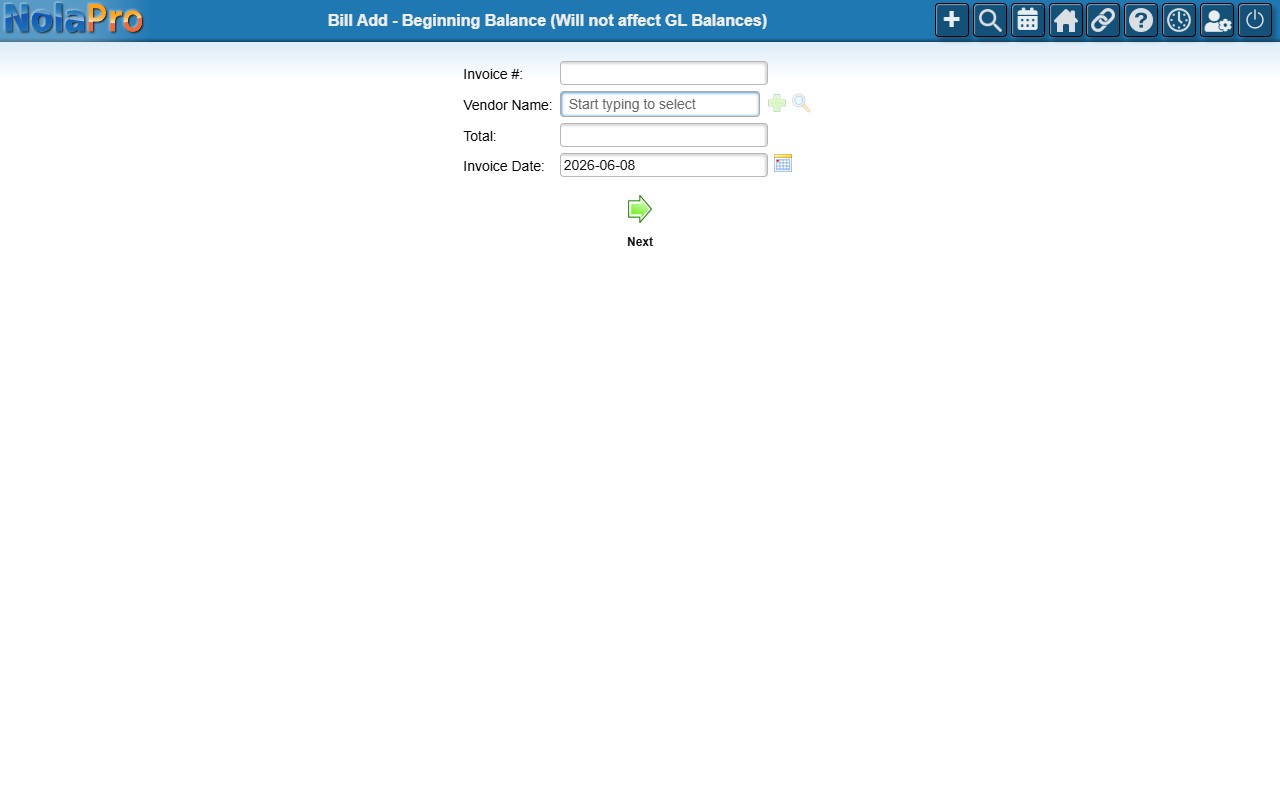
1) Create one beginning balance bill per open vendor balance. On the header step, select the Vendor Name and enter the Invoice #, Total, and Invoice Date.
2) On the terms step, review the Due Date, Discount Amount, and Discount Date pulled from the vendor's payment terms and adjust if needed.
3) On the distribution step, split the bill Total across one or more GL Account rows. The page shows the current total, the needed total, and the difference; the Complete Bill button activates only when the distributed amounts match the bill total.
4) Repeat for every vendor who has an outstanding balance.
Step 3: Enter the Opening Journal Entry for All Remaining Accounts
Where: Ledger -> Journal Entries -> New Journal Entry
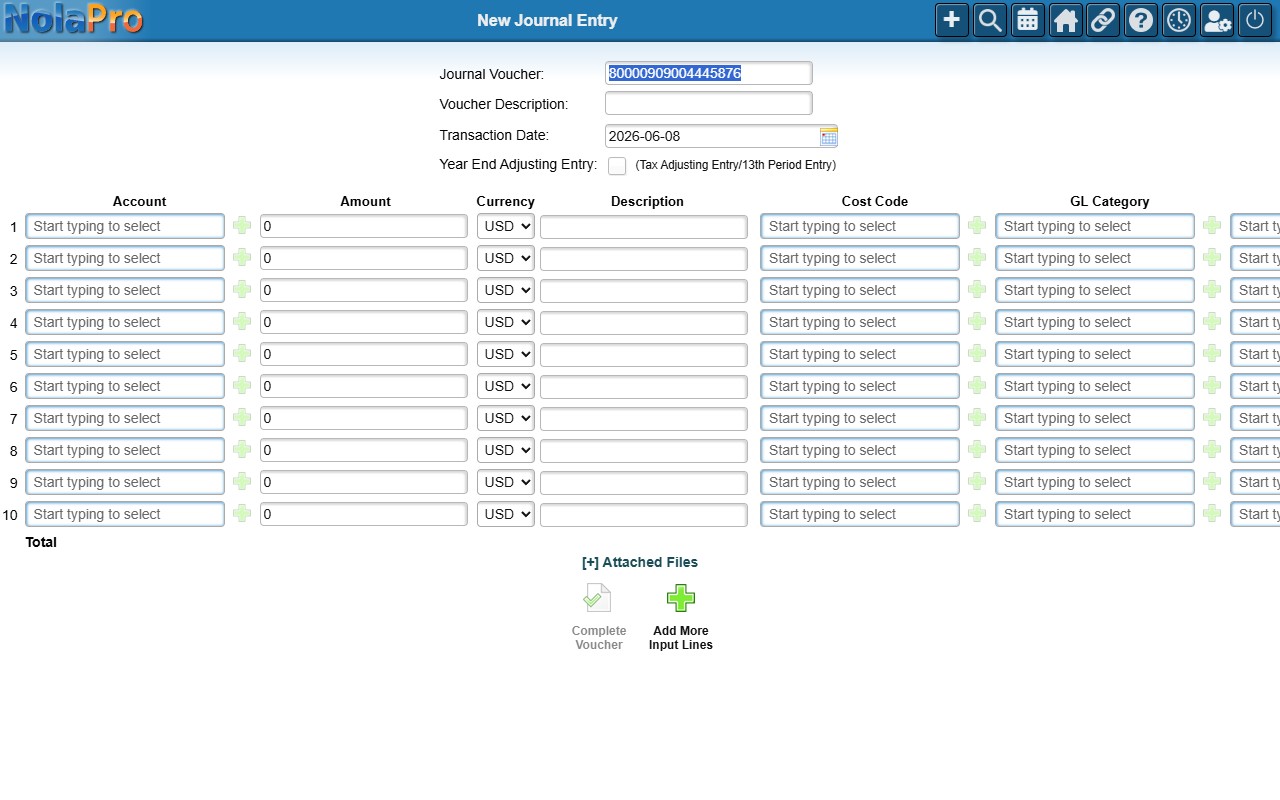
1) Post one balanced journal entry that establishes the opening balance of every other ledger account (cash, bank, inventory, fixed assets, accumulated depreciation, equity, retained earnings, and the offsetting AR and AP control totals).
2) Fill in the header: Journal Voucher, an optional Voucher Description such as "Opening Balances", and the Transaction Date (typically your go-live / conversion date).
3) In the lines grid, enter each account with its opening Debit or Credit amount.
4) Watch the running Total at the bottom; it must net to zero before the entry can be saved.
5) Click Complete Voucher to post. The button stays greyed out and reads "(Unbalanced Journals)" until debits equal credits.
Notes
- Beginning balance invoices and beginning balance bills do not post to the General Ledger by design. The receivable and payable totals must instead be included as line amounts in the Step 3 opening journal entry, or those balances will be missing from the GL.
- A beginning balance invoice is clearly labeled as not affecting GL balances and skips all GL postings.
- If a beginning balance bill's invoice number already exists for that vendor, the form stops with an error; each vendor invoice number must be unique.
- The opening journal entry will not save until it balances. NolaPro enforces this per currency, so if you use multiple currencies each currency's debits and credits must net to zero on their own.
- Enter the sub-ledger documents (Steps 1 and 2) before the journal entry so you know the exact AR and AP control totals to include in Step 3.
- If a beginning balance invoice would push a customer over their credit limit, a warning appears but does not block the save.