
Notification Requests Report (osCommerce store integration)
The Notification Requests report lists the back-in-stock and price-change notification requests that customers have submitted for items. Use it to see who is waiting on an item and whether their notification has been sent.
Open it from Reports -> Inventory -> Notification Requests.
How Customers Submit a Request
This report applies only to NolaPro's built-in osCommerce store integration. The requests are created by shoppers in that online store, not from inside NolaPro, so the report appears only when the osCommerce store is enabled. On a product page in the store, a shopper who cannot buy yet, because the item is out of stock or they want to watch for a price change, enters their email address to be notified. NolaPro records that as a notification request tied to the item, and to the customer account if the shopper is signed in.
When the item comes back in stock, NolaPro automatically emails everyone with an open request for it, including a link back to that product in the osCommerce store, and marks each request Sent. This report is where you review those requests and confirm the emails have gone out.
Filtering the List
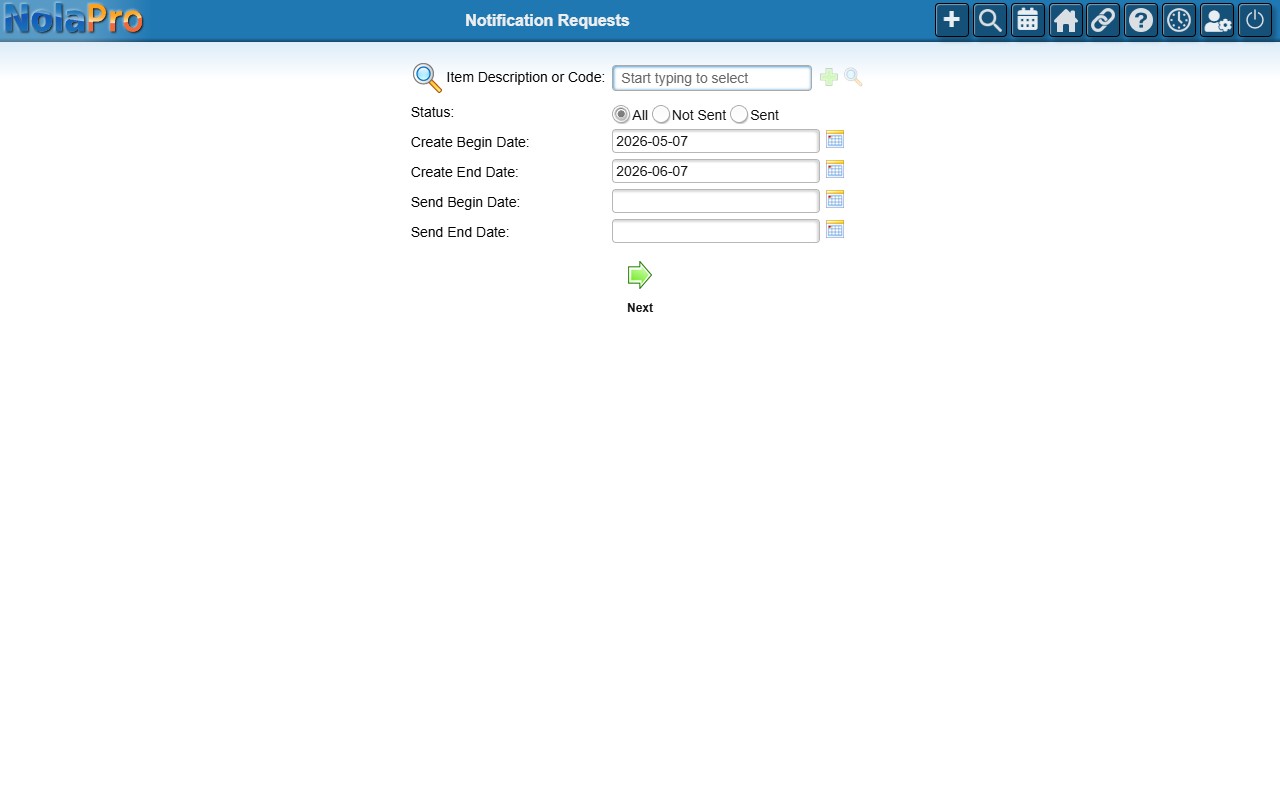
- Item Description or Code — leave blank for all items.
- Status — All, Not Sent, or Sent.
- Create Begin/End Date — the range for when the request was submitted. Defaults to the past month.
- Send Begin/End Date — optionally narrow by when the notification was sent.
Each row shows the Item Code and Description, the Status (Sent or Not Sent), the customer's Email and Customer name, and the create and send dates. Click any column header to sort.