
Recurring Tasks
Recurring tasks automatically generate new tasks on a schedule.
Path: Projects -> Recurring
Recurring Task List
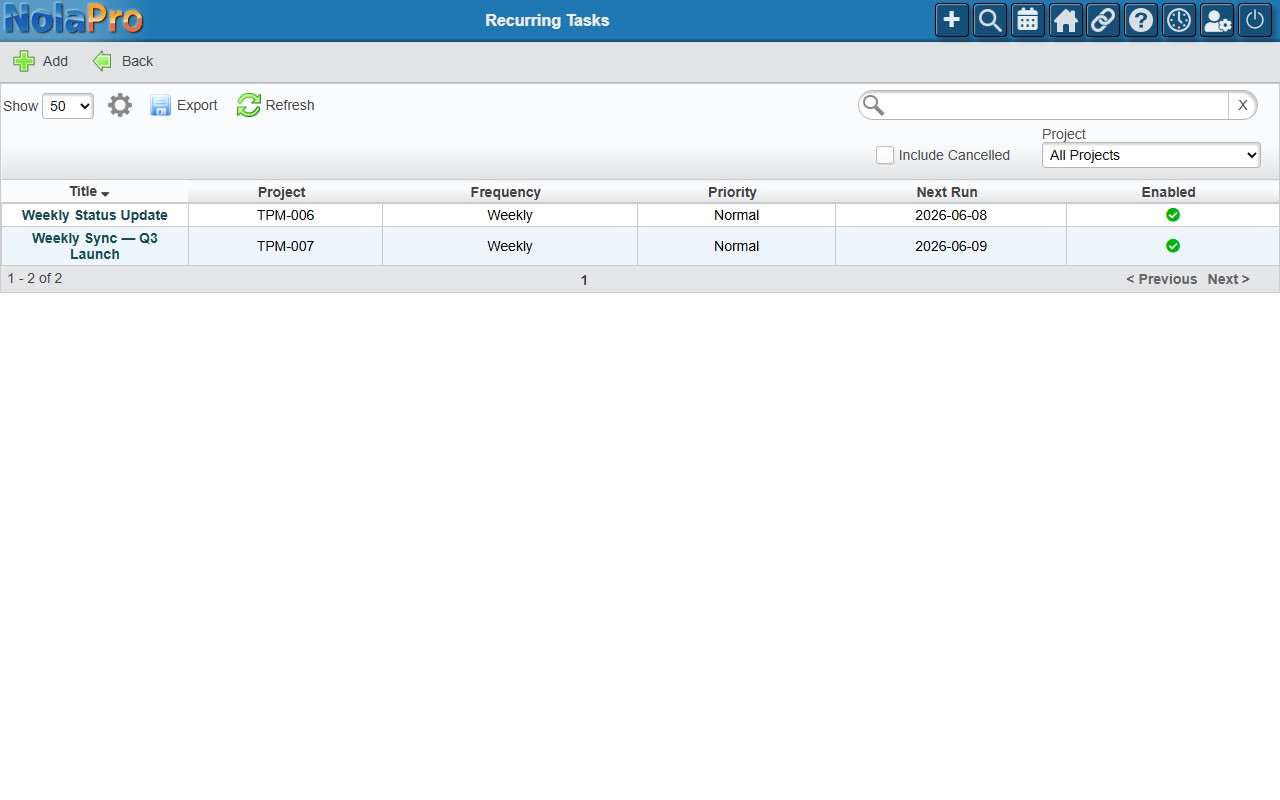
A DataTable of all recurring task definitions with columns: Title, Project, Frequency, Priority, Next Run, Enabled. Filters: Project, Include Cancelled.
Creating a Recurring Task
- Click Add in the taskbar.
- Fill in the Task Template group: Title (required), Project (required), Description, Priority, Status, Milestone, Assign To, and Estimated Hours.
- Fill in the Schedule group: Frequency (Daily, Weekly, Monthly, or Custom Interval), Day of Week (Weekly), Day of Month (Monthly), Interval Days (Custom), Start Date, End Date, Next Run Date (auto-calculated), and Enabled.
- Click Save.
How Generation Works
The NolaPro daily cron job checks all enabled definitions where the next run date is today or earlier. For each, it creates a new task in the target project with the template fields, sets the assignee, records an activity log entry, and auto-calculates the next run date. You can also click Run Now on the edit page to trigger immediate generation.