
Reports
Path: Projects -> Reports
Three reports are available from the project list taskbar.
Project Summary
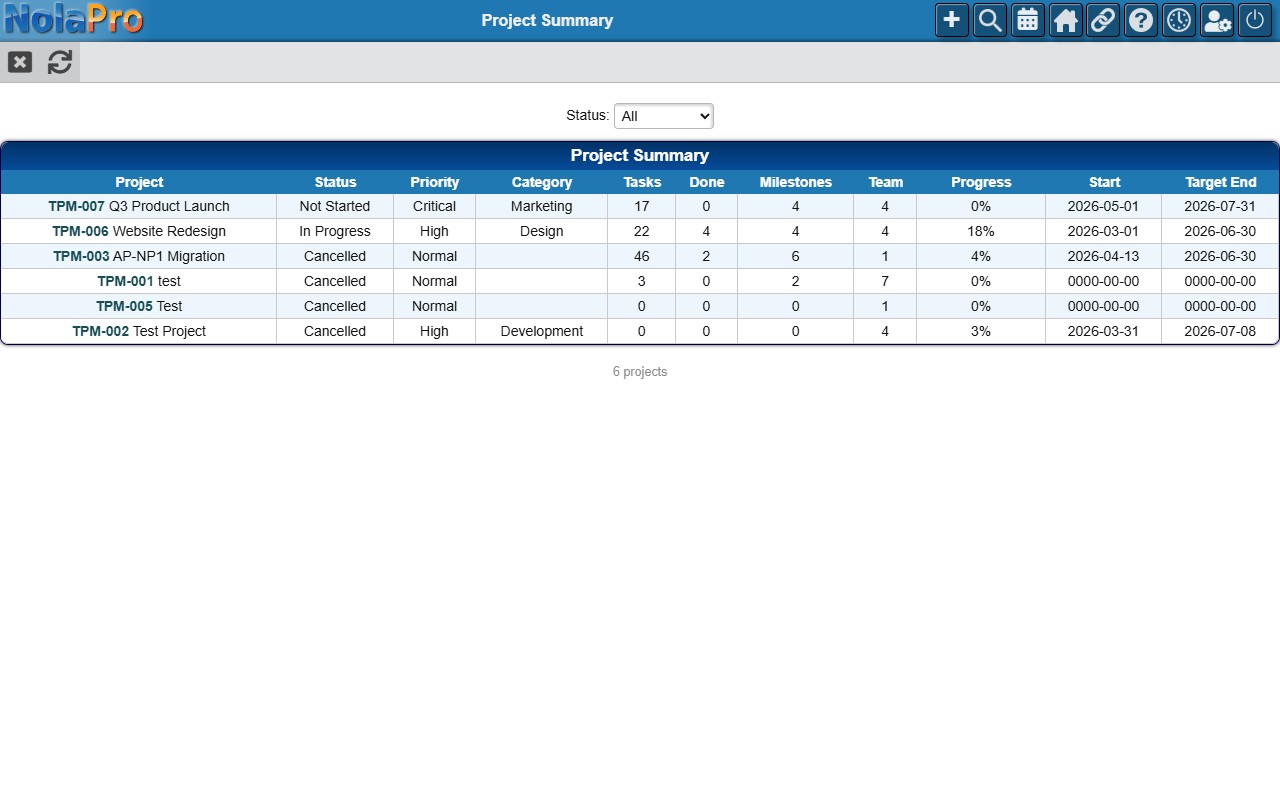
An overview of all active projects: code, name, status, priority, category, task count (and how many are done), milestone count, team size, a progress bar, and start/target end dates. Filter by project status.
Task Status Breakdown
A cross-tab matrix showing how many tasks are in each status for each project — one row per project, one column per status, with row totals and grand totals and color-coded status badges as headers. Filter to a specific project.
Overdue Tasks
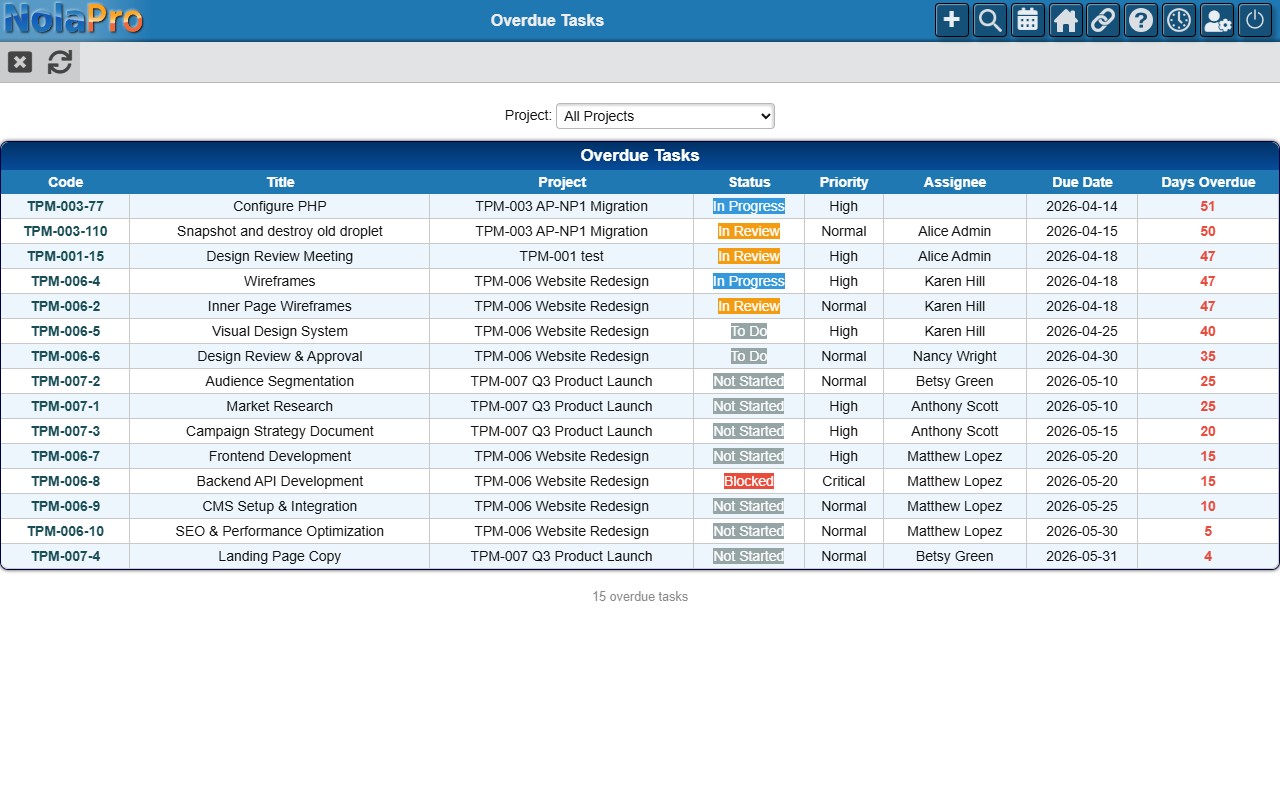
Lists all tasks past their due date and not yet complete: task ID, title, project, status, priority, assignee, due date, and number of days overdue (in red). Filter to a specific project.