
Summary of Invoices Report
The Summary of Invoices report is the flagship AR invoice report. Use it for daily, weekly, or monthly invoice summaries, profitability by customer or salesperson, GL roll-ups, returns analysis, voided-invoice review, and per-customer or per-ship-to totals. The Report dropdown selects which variant of the data to render.
Open it from Income -> Reports -> Billing -> Summary of Invoices.
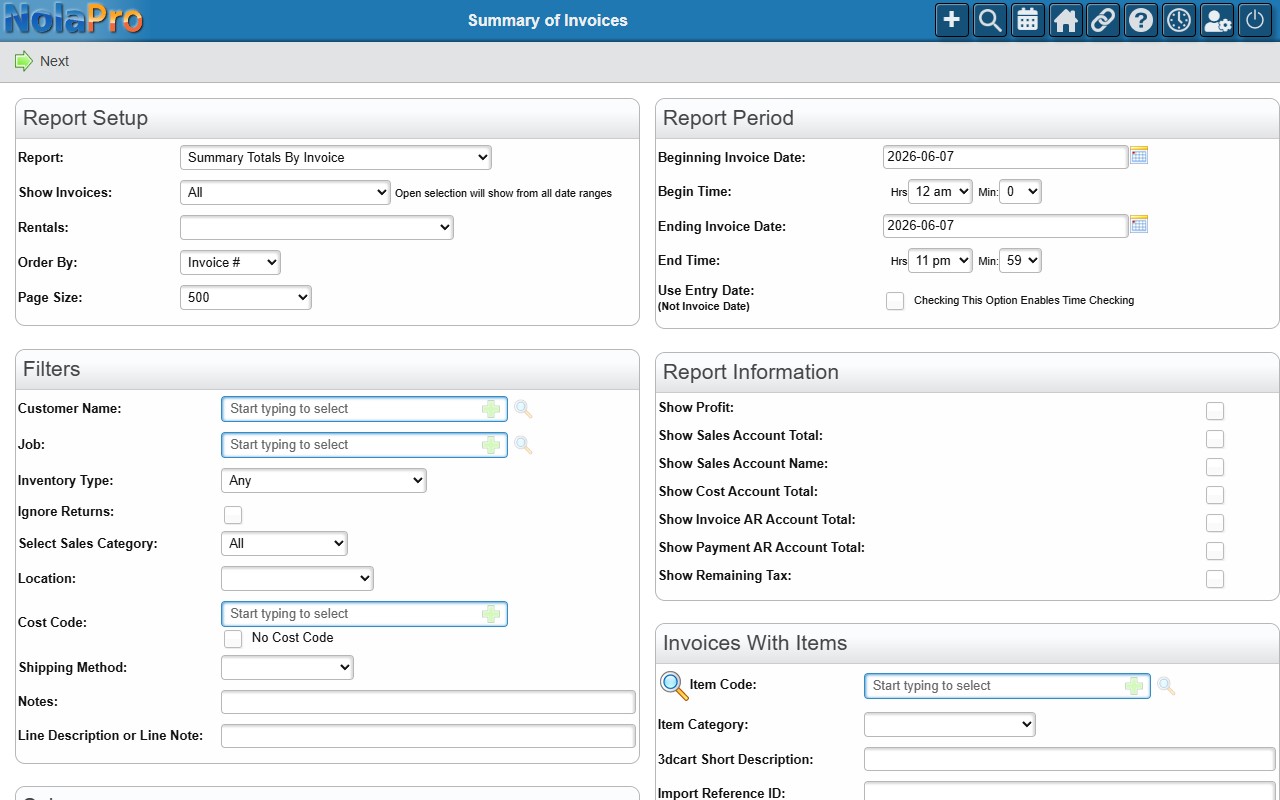
Running the Report
The page is two-step: choose your filters and the Report variant, then view the report on screen with a one-click PDF download.
Key Filters
Two criteria are worth calling out:
Date Range Field — selects which date the Begin/End range filters on: Invoice Date, Entry Date (with time), or Due Date. This dropdown replaced the older Use Entry Date (Not Invoice Date) checkbox — choose Entry Date (with time) for the same behavior.
Issued By — limits the results to invoices entered by a specific NolaPro user (the list shows users who have at least one invoice on record for the active company).
Report Variants
The Report dropdown changes the layout and grouping of the output. The most common variants are shown below.
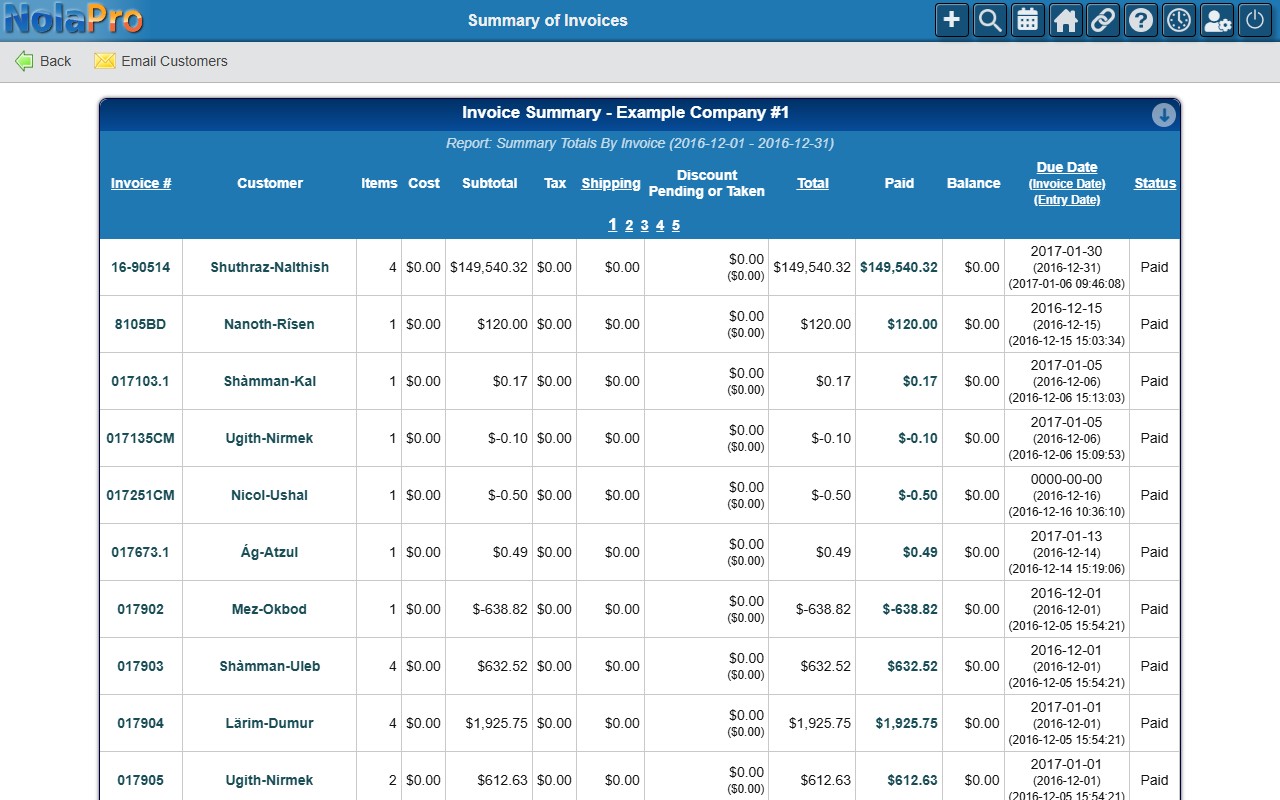
Summary Totals By Invoice — one row per invoice with its items, subtotal, tax, shipping, discount, total, paid, balance, due date, and status.
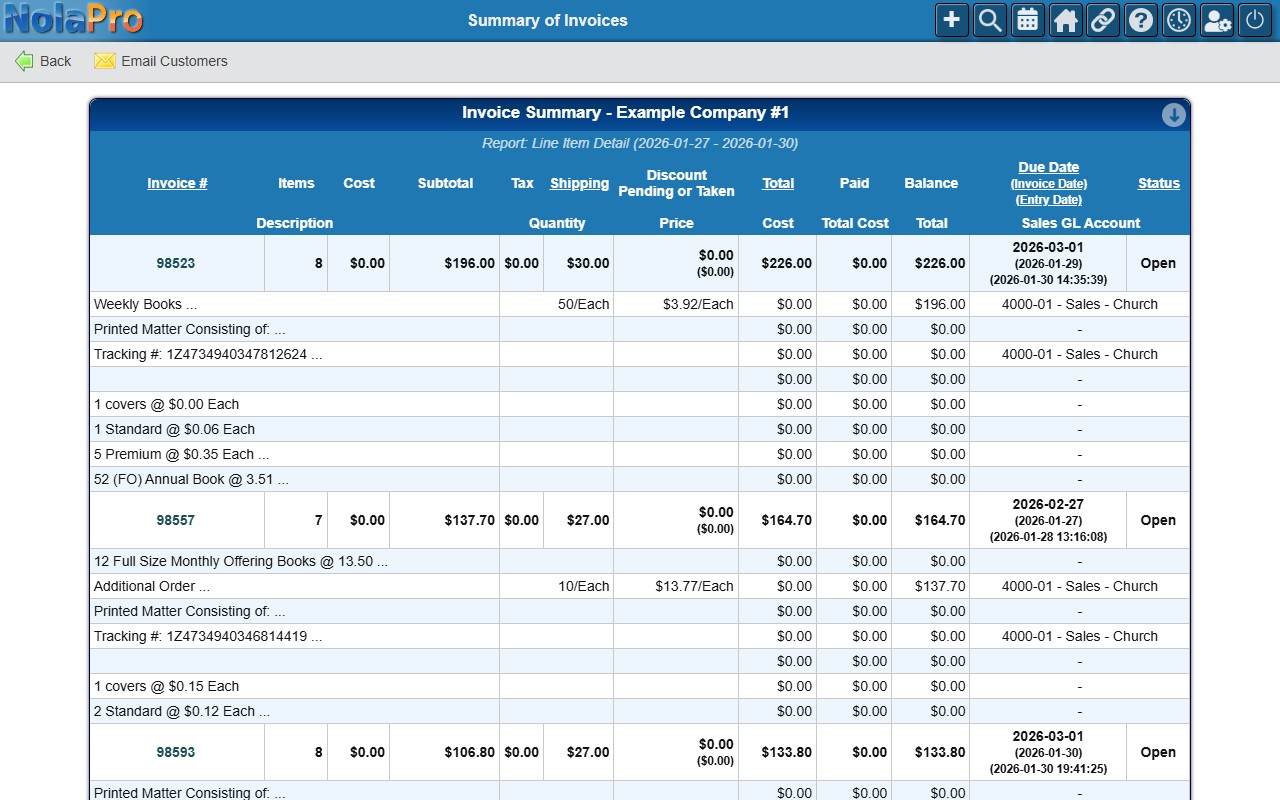
Line Item Detail — each invoice expanded to show its individual line items (description, quantity, price) beneath the invoice row.
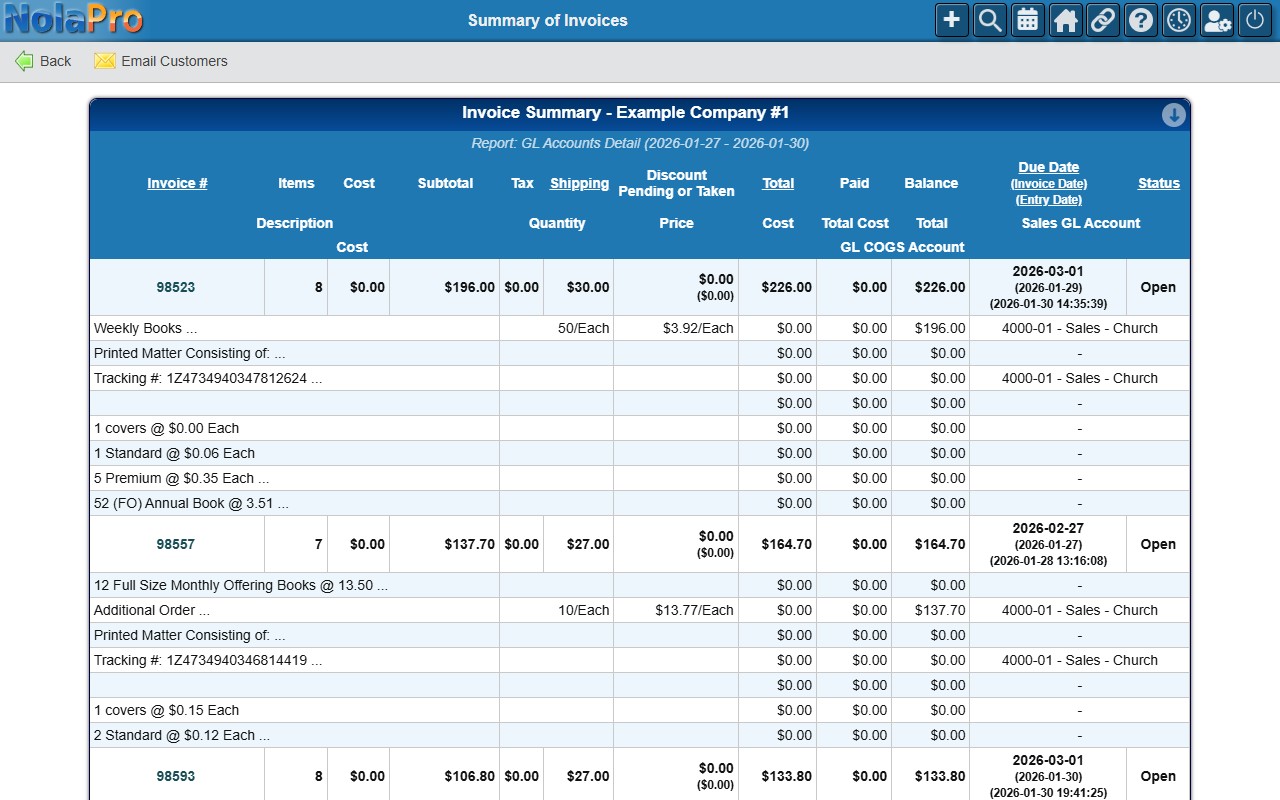
GL Accounts Detail — line-item detail that also breaks out the Sales GL Account and GL COGS Account for each line, for reconciling invoice revenue and cost to the ledger.
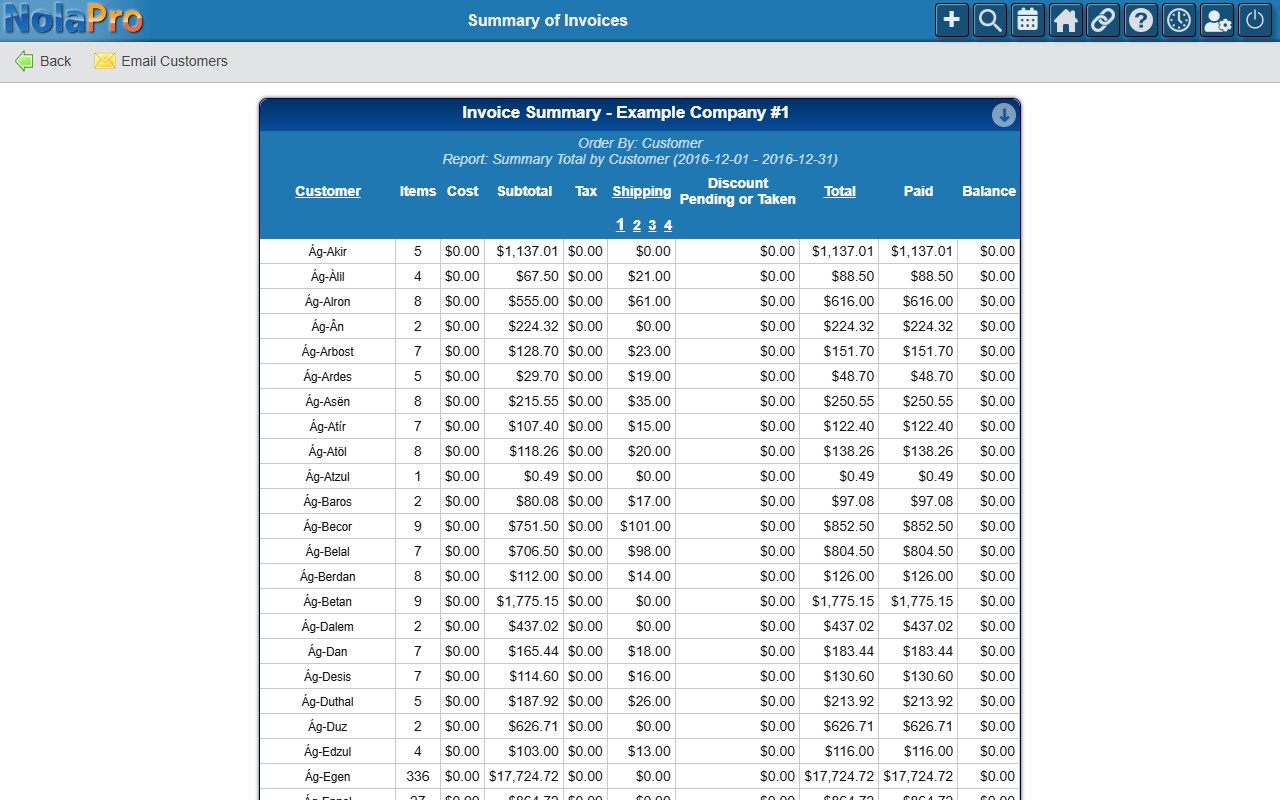
Summary Total by Customer — one totals row per customer, for quick per-customer billing and profitability comparison.
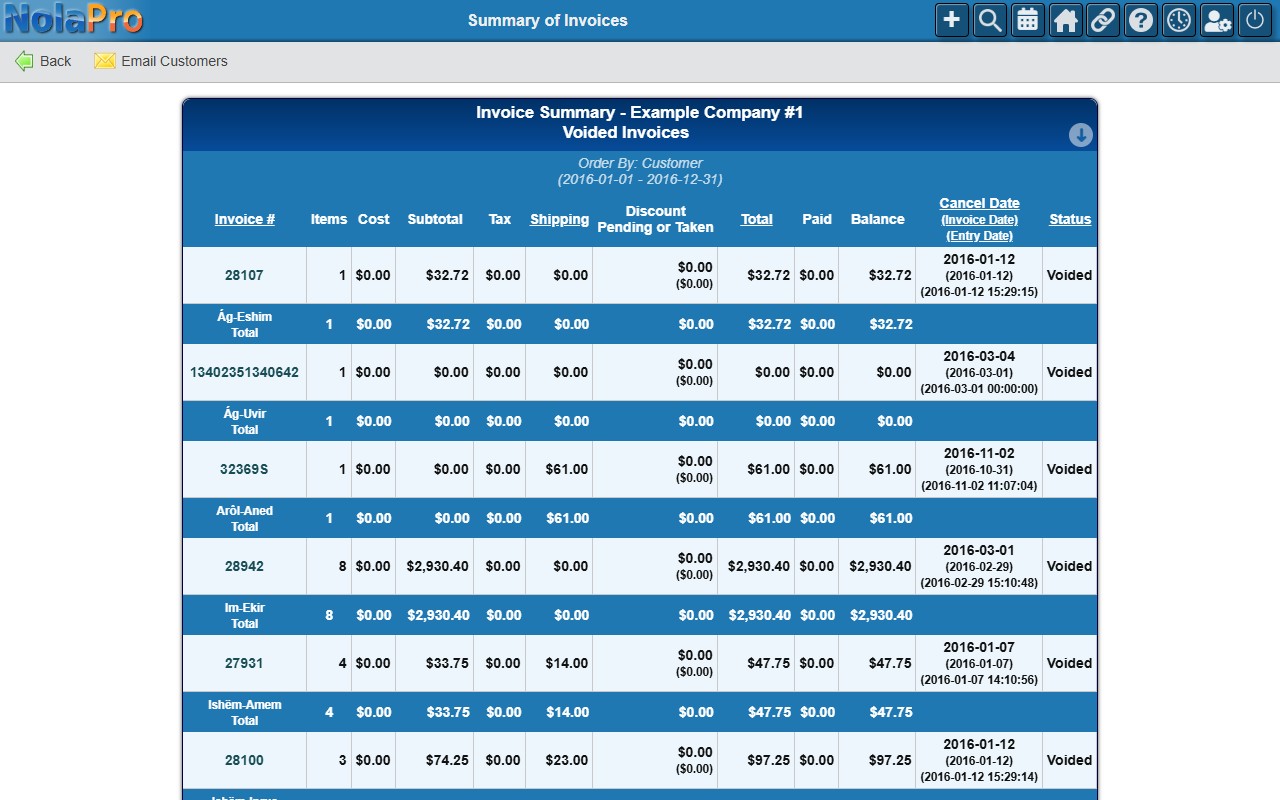
Voided Invoices Only — lists only voided invoices for the period (grouped by customer), with each invoice's cancel date and status, for audit and void review.
Additional ship-to oriented variants — Summary Total By Customer & Ship To, Summary By Customer & Ship To - Invoice Detail, Summary by Ship To Address, and By Ship To Address - Show Invoices — appear in the Report dropdown only when the AR Summary By Ship-To add-on is enabled.