
Vendor Lists / Labels
The Vendor Lists / Labels page is the landing point for vendor reports and mailing labels. From here you can produce a CSV vendor list, an on-screen vendor list, an on-screen vendor-agent list, full pages of mailing labels (Pay-To or Order-From), or a single-vendor sheet of labels.
Open it from Expenses -> Reports -> Vendor Lists/Labels.
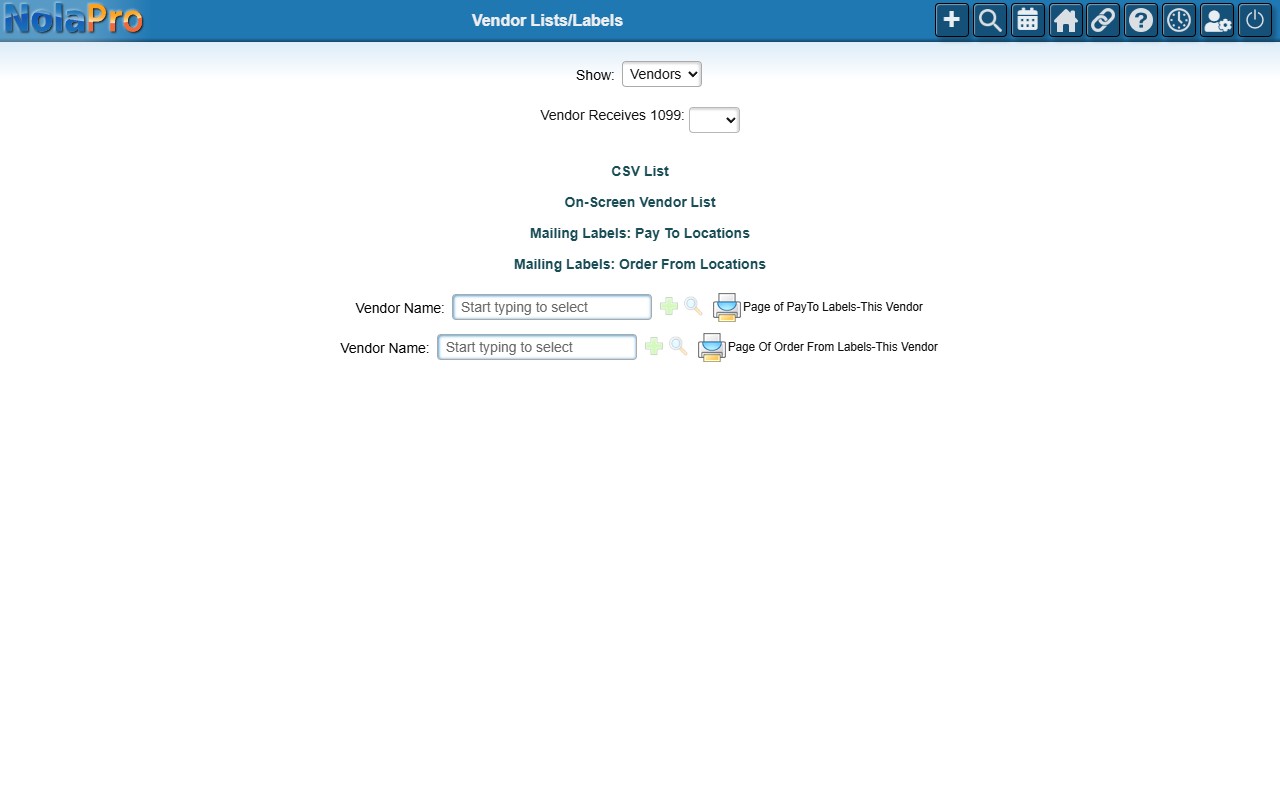
Producing a List or Labels
Pick a 1099 filter if needed, then use the action links to generate the list or label format you want.
Export Vendors
Where: Tools -> Export -> Export Vendors
Export Vendors writes your whole vendor list to a CSV file that opens in Excel or any spreadsheet, for mail merges, analysis or loading into another system.
1) Check Include Leads if vendor leads should be in the file as well as regular vendors, then click Export. The browser downloads a file named vendors_ followed by the date and time.
2) Each row is one vendor with the vendor code, company name, contact name (salutation, first, middle, last name, suffix and attention), the pay-to name for checks, address, mail stop, city, state, ZIP, country, phone and email with their comments, website, federal ID, currency, verbal terms and the order-from address; a Lead column marks leads when they are included.
3) The export is read-only; nothing in NolaPro changes. Only active (not cancelled) vendors of the company you are working in are exported.