Customer List Report
The Customer List report produces a filtered list of your customers — useful for directories, mailing lists, mass edits, and review.
Open it from Income -> Reports -> Billing -> Customer List.
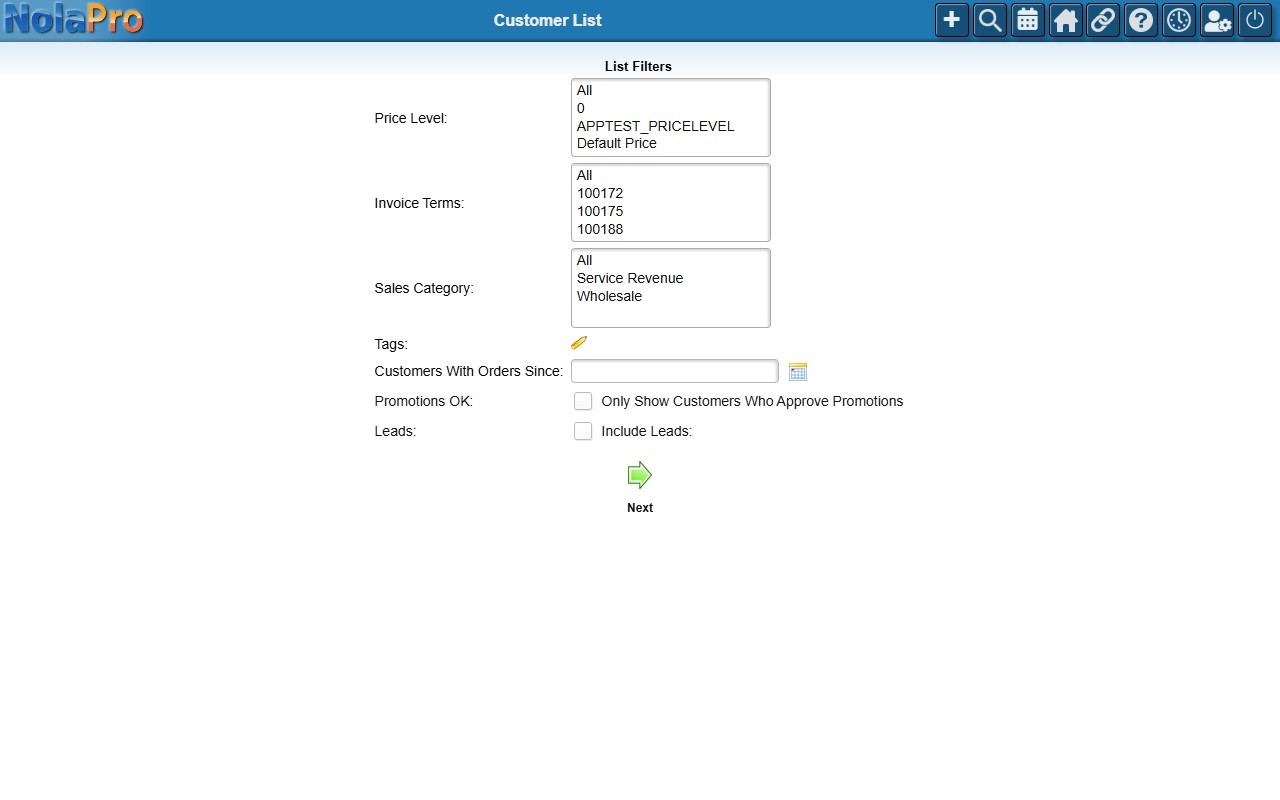
Running the Report
Set the filters to narrow the list, then generate the report. NolaPro then offers several output choices for the matching customers:
- Edit Customers — open the matching customers in a mass-edit grid (see below).
- CSV List — download a comma-delimited file of the customers.
- CSV List WITH HEADERS — the same CSV with a column-header row.
- Customer List (Main Location) — an on-screen list using each customer's main-location address.
- Customer List (Ship To Location) — an on-screen list using each customer's shipping-location address.
- Mailing Labels (Customer Locations) — PDF mailing labels from the main-location addresses.
- Mailing Labels (Ship To Locations) — PDF mailing labels from the shipping-location addresses.
- Mailing Labels (Ship To Locations Where Name Matches Customer Name) — ship-to labels limited to ship-to records whose name matches the customer name.
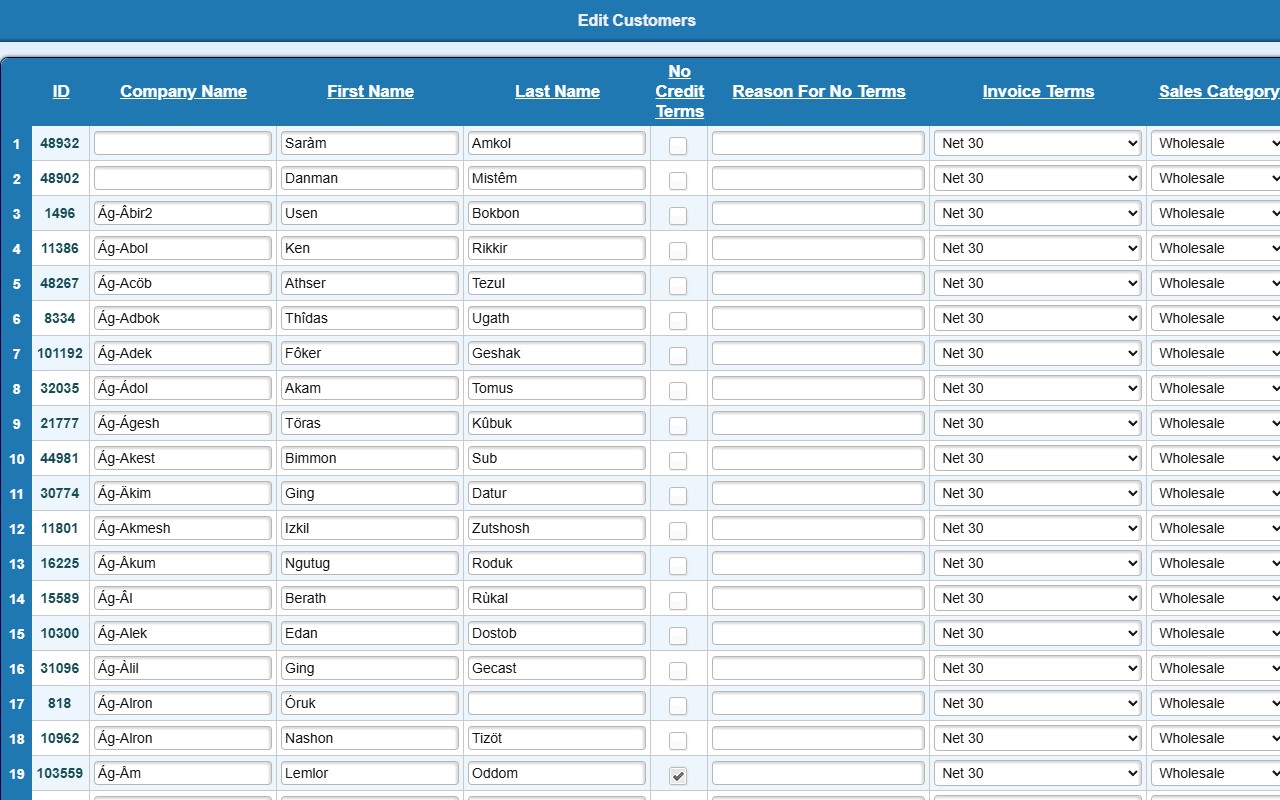
Edit Customers (Mass Edit)
The Edit Customers option opens the matching customers in an editable grid so you can update many at once. Only a limited set of fields is editable here: Company Name, First Name, Last Name, No Credit Terms, Reason For No Terms, Invoice Terms, Sales Category, Price Level, and Credit Limit. Click a customer's ID to open that customer's full record in a new tab. Make your changes and Save. (The grid shows 100 customers per page.)